Skip to content

Digital onboarding

A clearer start for every member.

Guide people through consent, document and selfie capture. Give your review team the evidence and context to decide what comes next.

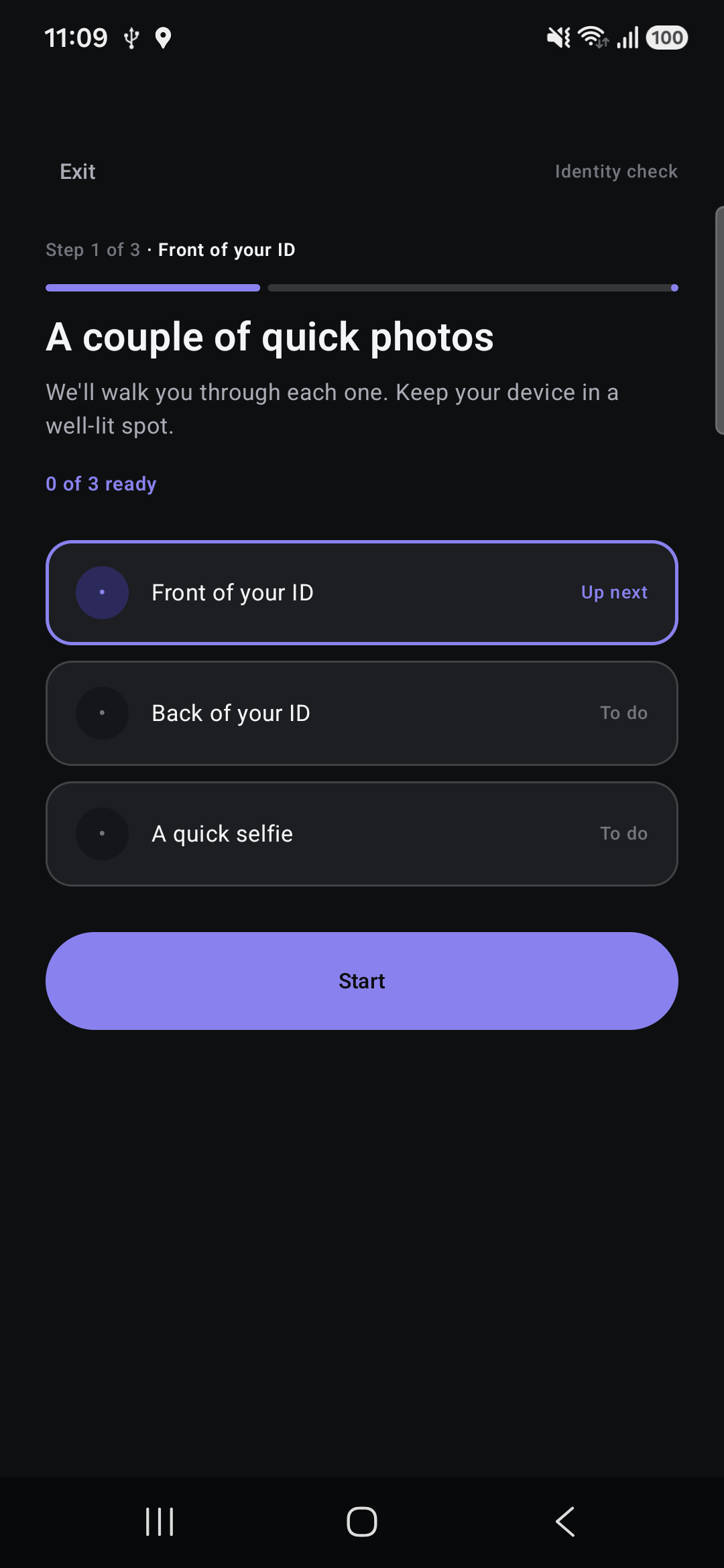
Onboarding checklist showing front of ID, back of ID and selfie steps before capture.

Guided from the start

Make each step understandable.

Document capture

Show members what to do next.

A clear prompt explains which side of the ID to photograph and how to position it before opening the camera.

  • Start with the front of the ID.
  • Keep all four corners in view.
  • Continue to the back and the configured selfie step.
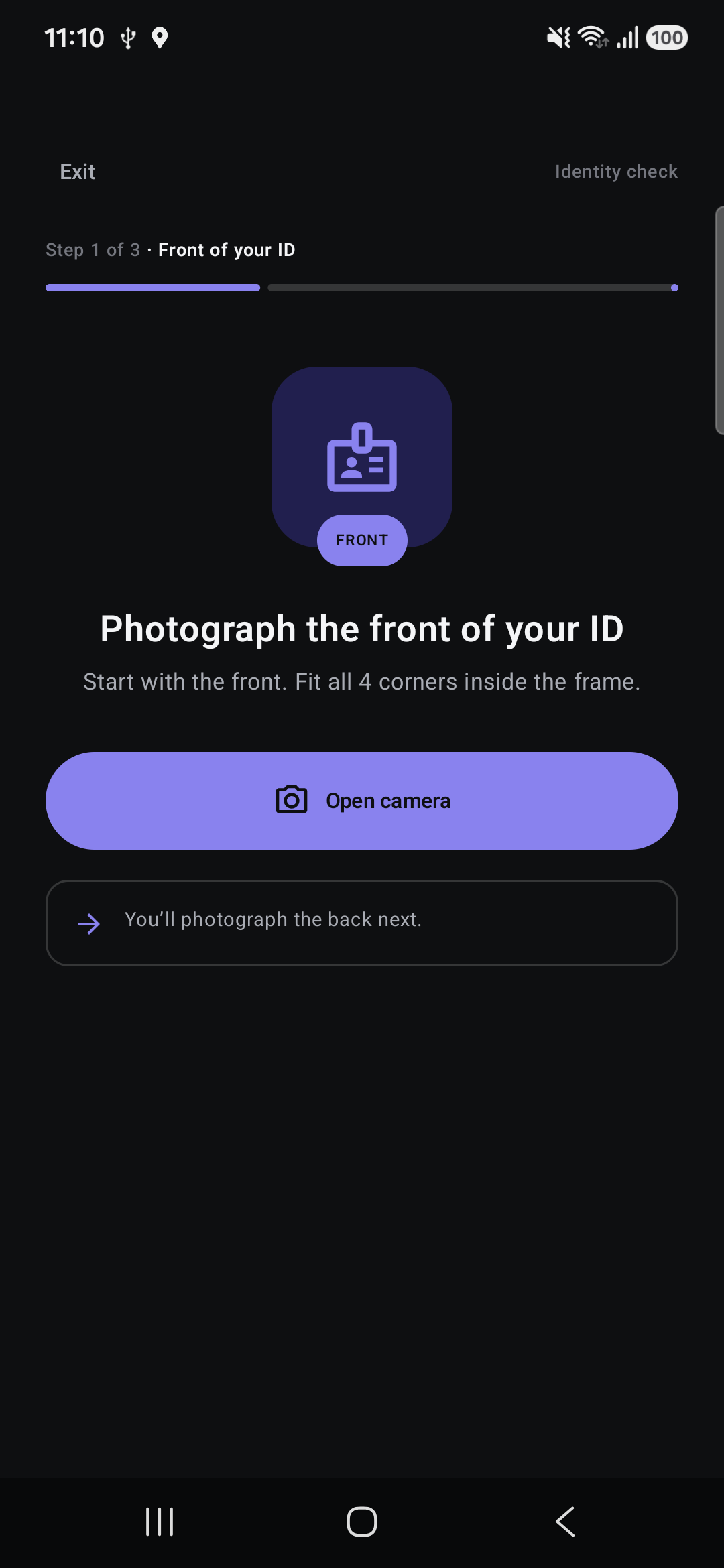
Guidance to photograph the front of an ID with all four corners inside the frame. No identity document is displayed.

Before submission

A clear handoff for review.

Members see what they are sending before submitting. The next step is review, with acceptance decisions kept with your institution.

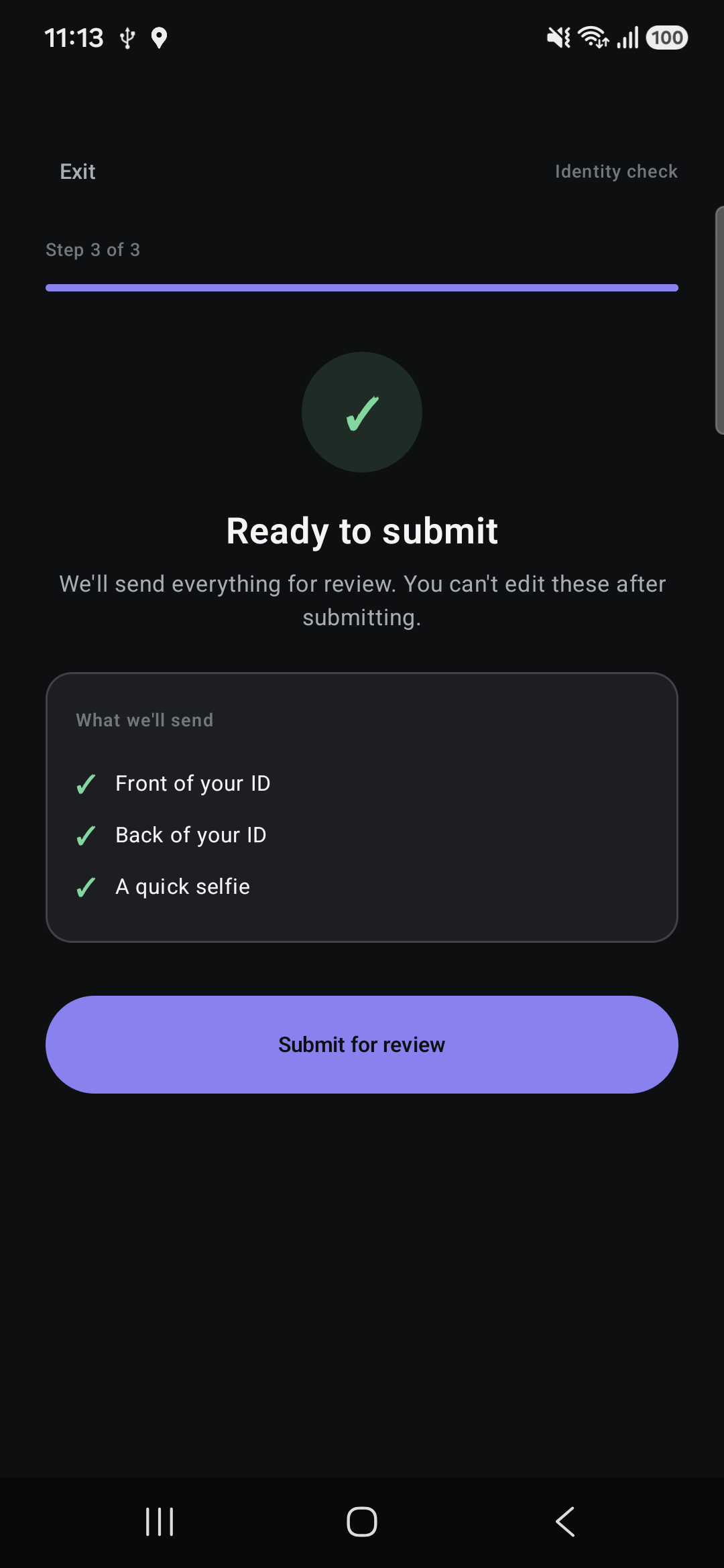
Ready to submit screen listing the front of ID, back of ID and selfie to send for review, without showing personal evidence.

A welcome that keeps things moving.

Help applicants complete each step and give your team a clear application to review. Membership decisions stay with your SACCO.

  • Invitation and consent

    Give applicants a clear starting point and explain what they need to provide.

  • Guided document capture

    Help applicants take clear document photos with guidance at each step.

  • Selfie and details

    Guide applicants through the requested details and photos before submission.

  • Review and follow-up

    Keep the application together for review, with a clear way to request corrections.

Before the first invitation

Planning a clear start for applicants and reviewers.

What will applicants need?

The invitation guides applicants through the details and document photos requested by the SACCO, including a selfie where required. The supported documents and steps are confirmed for your onboarding setup.

Who decides whether to admit a member?

Your SACCO reviews the application and decides whether to admit the member. SenteRail helps your team collect and review the information, and request corrections when needed.

What if an applicant needs to correct something?

Your reviewer can request a correction so the applicant knows which step needs attention. The application stays part of the same review process.

How do we agree the onboarding setup?

We work through the capture steps, supported documents, available checks and review responsibilities with your team before activation. A walkthrough helps you assess the process against your SACCO’s needs.

Explore what comes next

Let’s map your onboarding journey.

Agree the capture steps, available checks and review responsibilities for your institution.

Checks depend on the agreed profile and provider readiness. Your institution remains responsible for acceptance decisions, legal basis and required approvals.